Progress Payments for the Wisetack portal

How it works

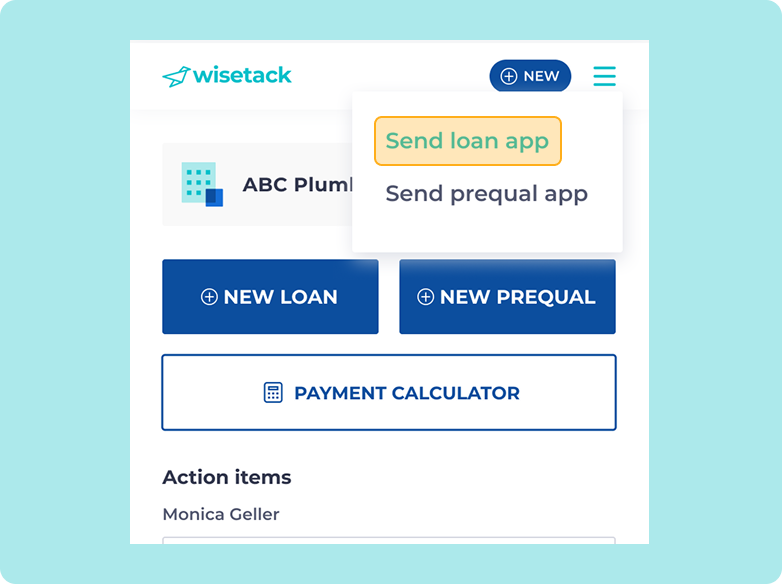
1. Create a new loan application.

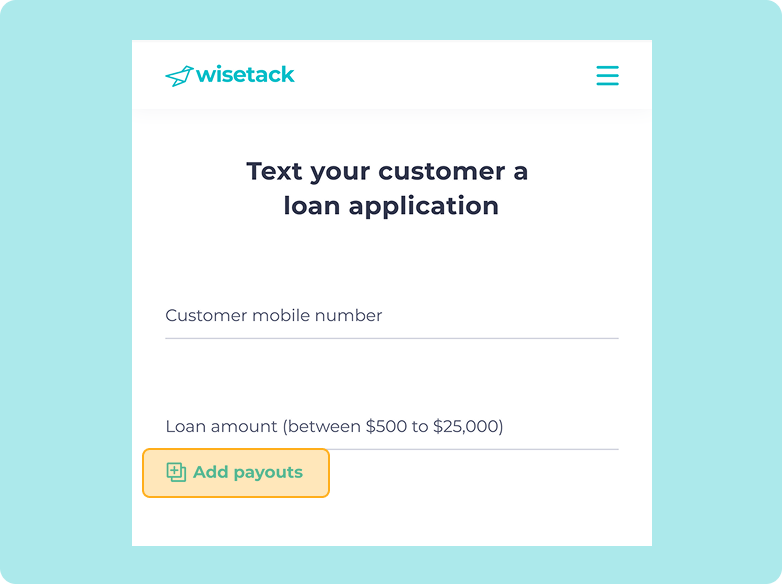
2. Under loan amount, click Add Payouts. New fields appear below.

3. Add the total job amount and the percent required upfront.

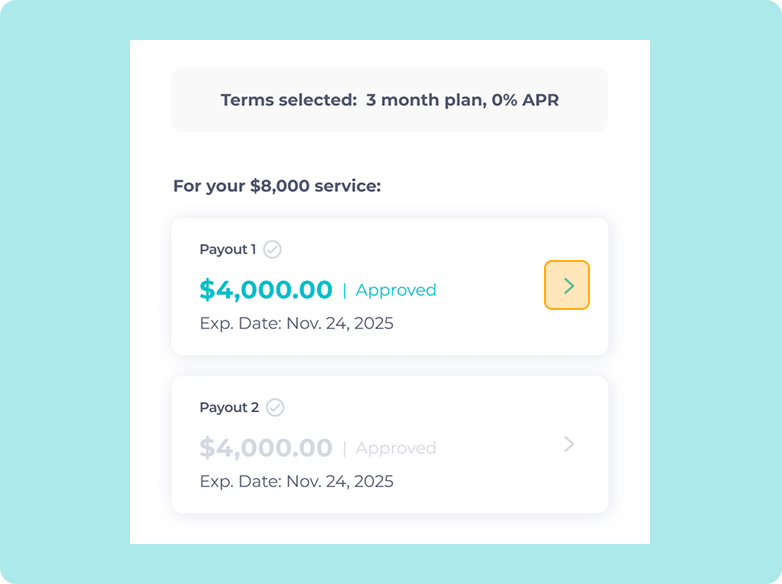
4. Eligible customers can review their offers. Once they've locked in their choice, they can review details and release payment by clicking the first payout.

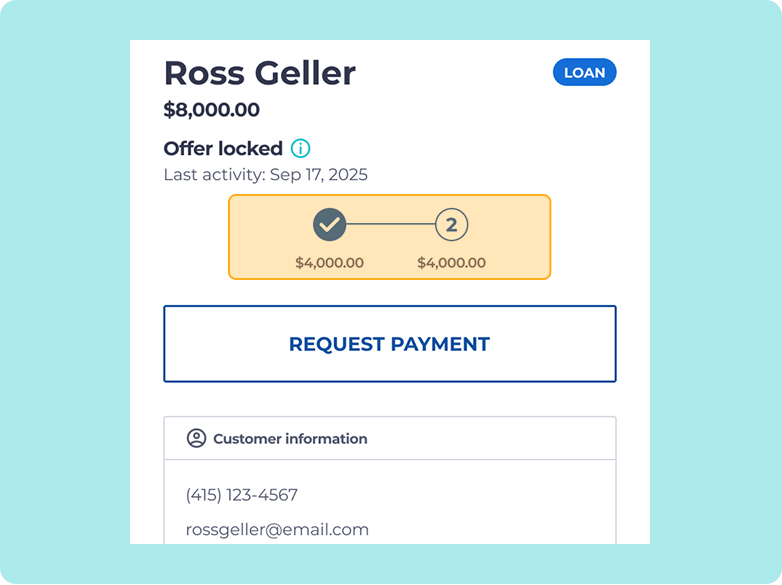
5. You can follow along with the status of each payment in the Wisetack portal.

Frequently asked questions

How many payments can I request from my customer?

A blue arrow pointing down

When can my customer release each payment to me?

A blue arrow pointing down

How much can I request from my customer up front as part of the first payment?

A blue arrow pointing down

Do I pay fees on each payout?

A blue arrow pointing down

What does my customer's repayment schedule look like?

A blue arrow pointing down

What if my customer is not approved to pay me in multiple payments?

A blue arrow pointing down

Can I use Progress Payments through my integrated software?

A blue arrow pointing down
*All financing is subject to credit approval. Your terms may vary. Payment options through Wisetack are provided by our lending partners. See https://wisetack.com/lenders. For example, a $1,200 purchase could cost $104.89 a month for 12 months, based on an 8.9% APR, or $400 a month for 3 months, based on a 0% APR. Offers range from 0-35.9% APR based on creditworthiness. State interest rate caps may apply. No other financing charges or participation fees. See additional terms at https://wisetack.com/faqs.